DadCam

A camera app designed to feel remembered.

Mobile creative tool · Photo and video

·

DadCam

Scroll to explore

DadCam case study

DadCam

A camera app designed to feel remembered.

Mobile creative tool · Photo and video

·

DadCam

Scroll to explore

DadCam case study

Scroll to explore

DadCam

A camera app designed to feel remembered.

Mobile creative tool · Photo and video

·

DadCam

DadCam case study

DadCam

A camera app designed to feel remembered.

Mobile creative tool · Photo and video

·

DadCam

Scroll to explore

DadCam case study

PROJECT OVERVIEW

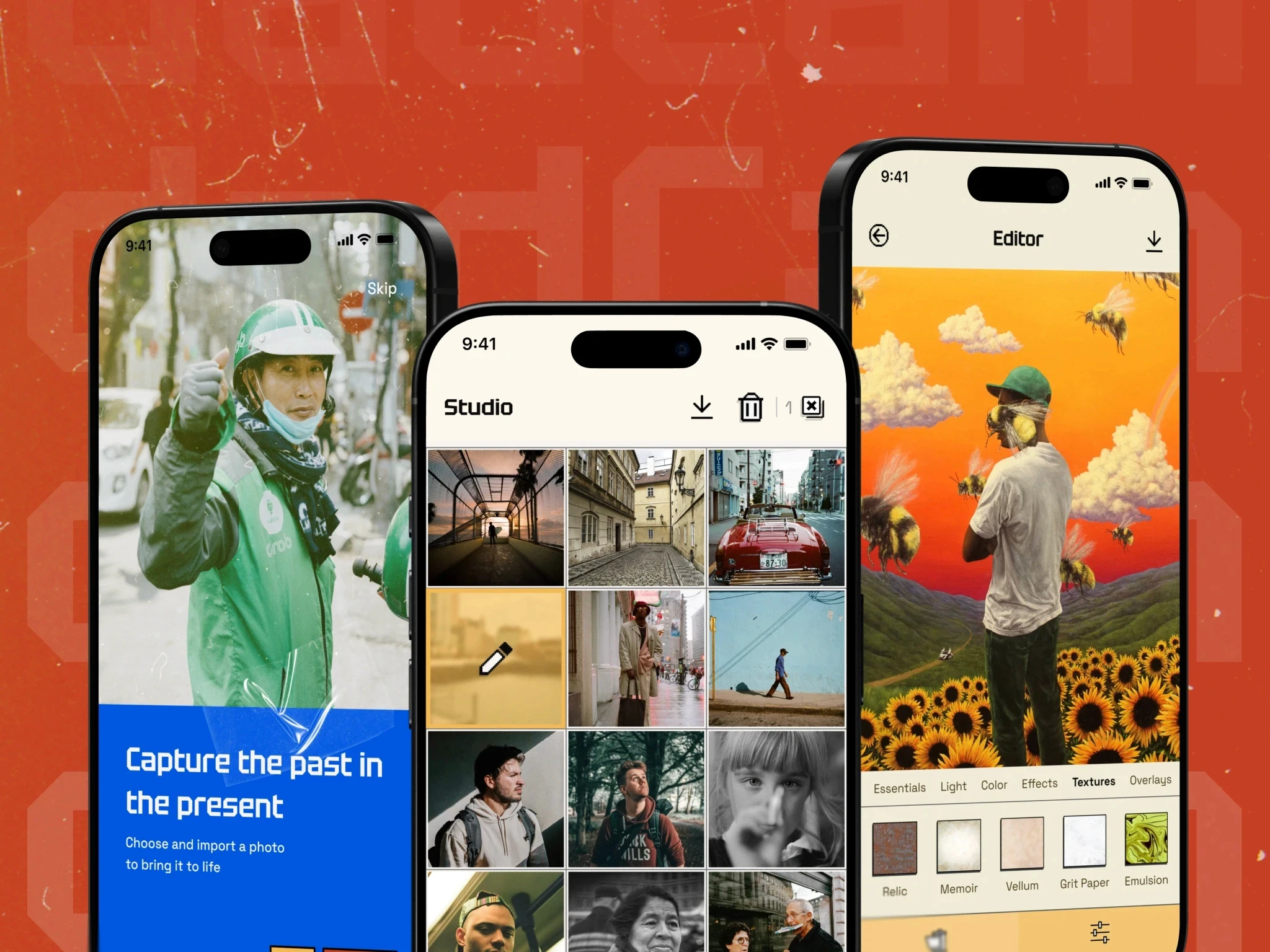
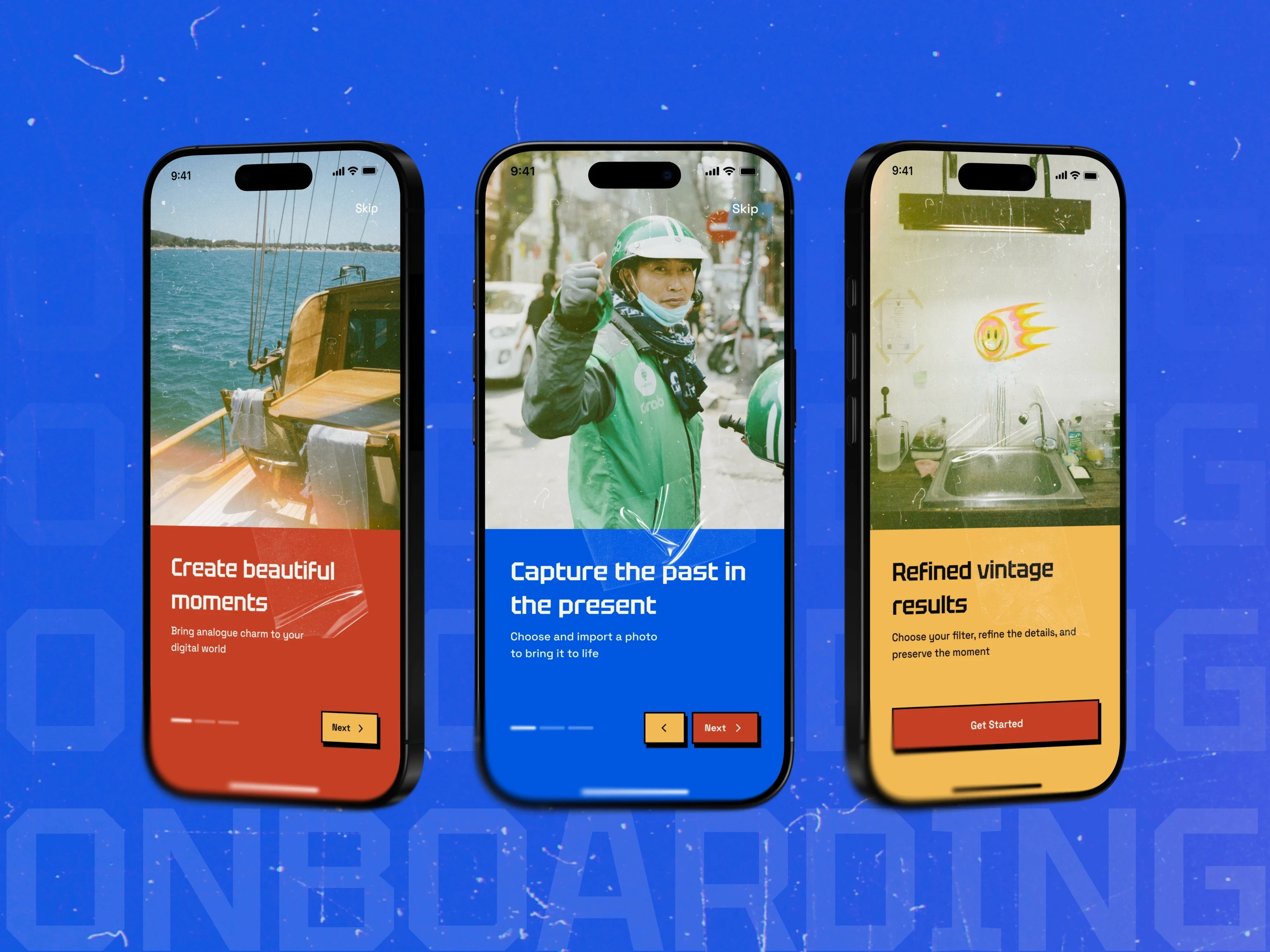
Plexable shaped DadCam as a tactile mobile camera and editor built around retro film character. The experience connects capture, live preview, non-destructive editing, and export without losing the immediacy that makes a camera app useful.

CLIENT

DadCam

MY ROLE

Product design, via Plexable

SCOPE

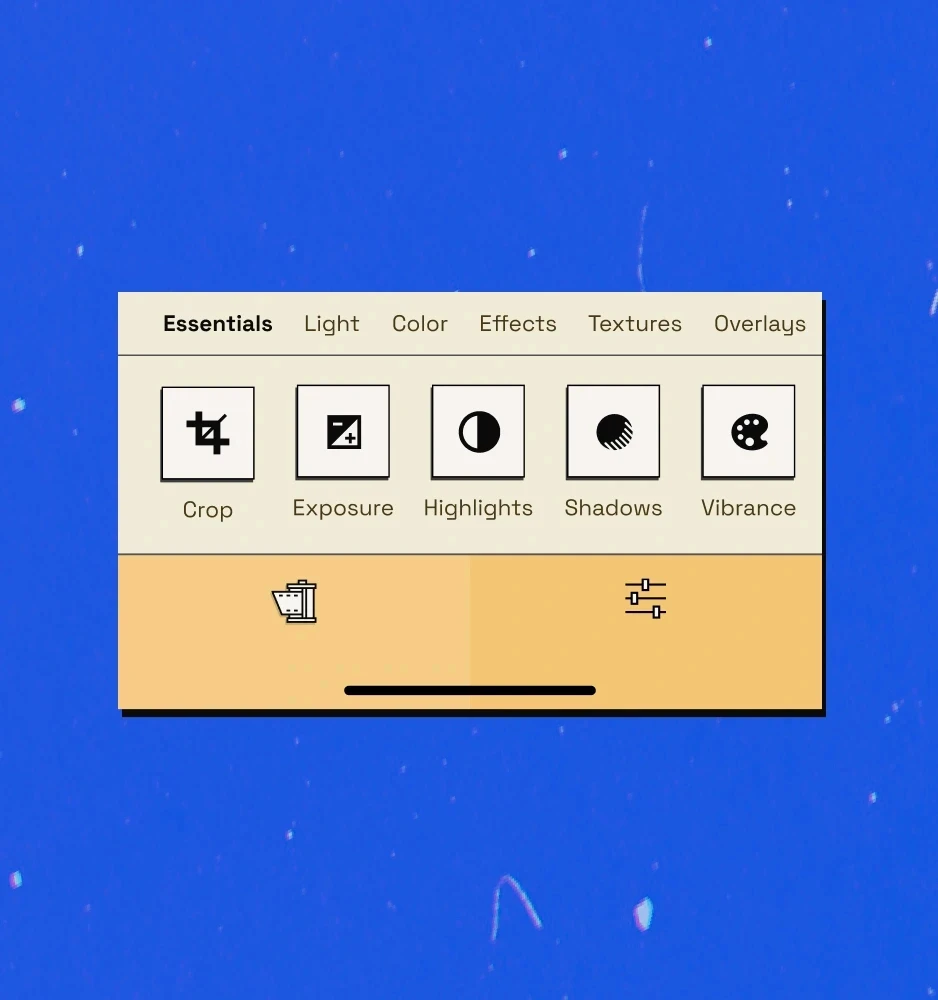
Mobile experience, camera and editing workflows, interaction design, visual system, gestures, haptics, and export

VALIDATION

Shipped public app for iPhone and iPad

TIMELINE

2024–2025

TEAM

Plexable designed DadCam with founder and developer Omar Aref.

The context

DadCam turns a phone into a deliberately nostalgic creative tool. The challenge was to create enough texture, control, and personality for expressive work without slowing down capture or overwhelming a small screen.

My responsibility

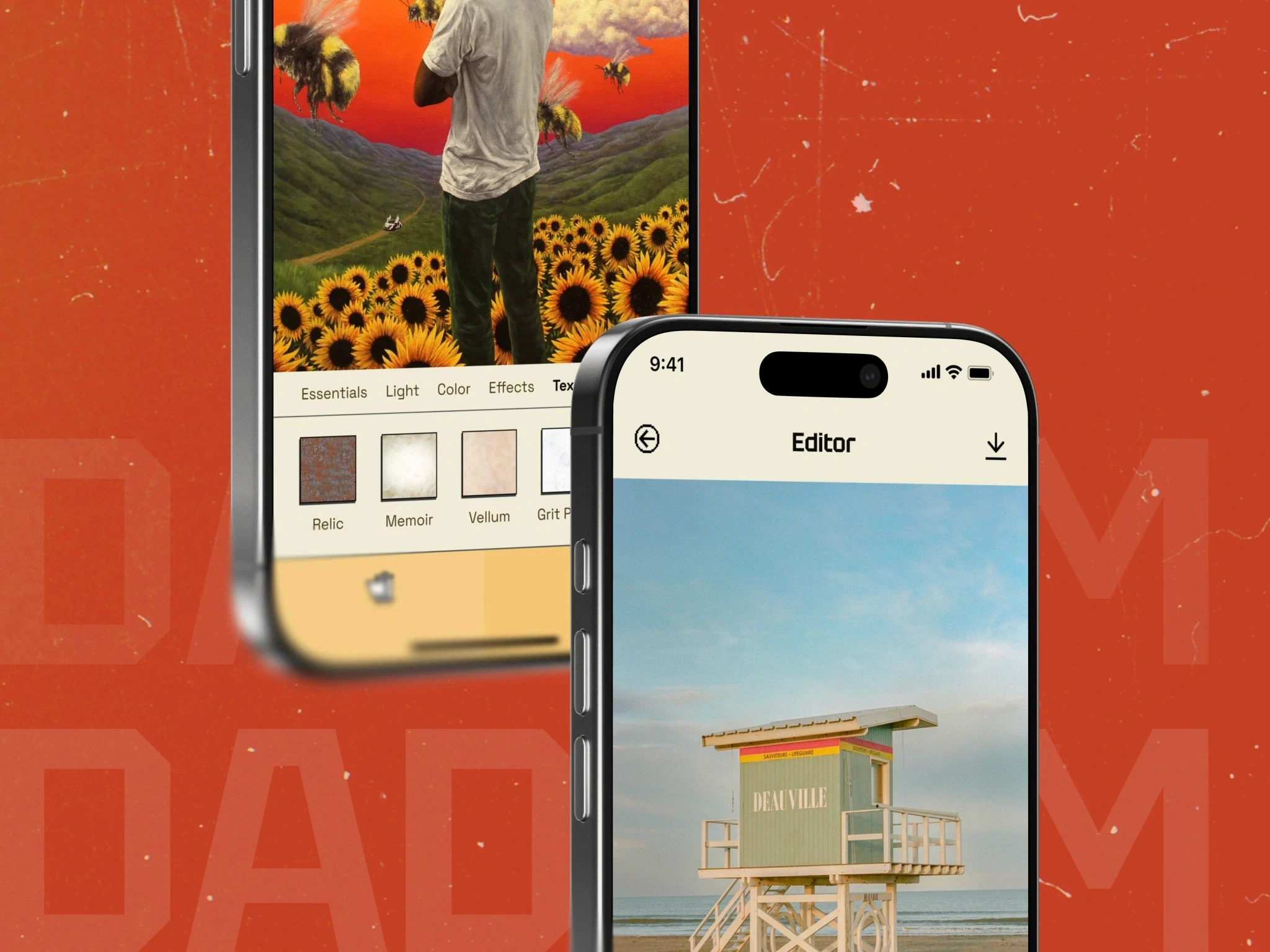
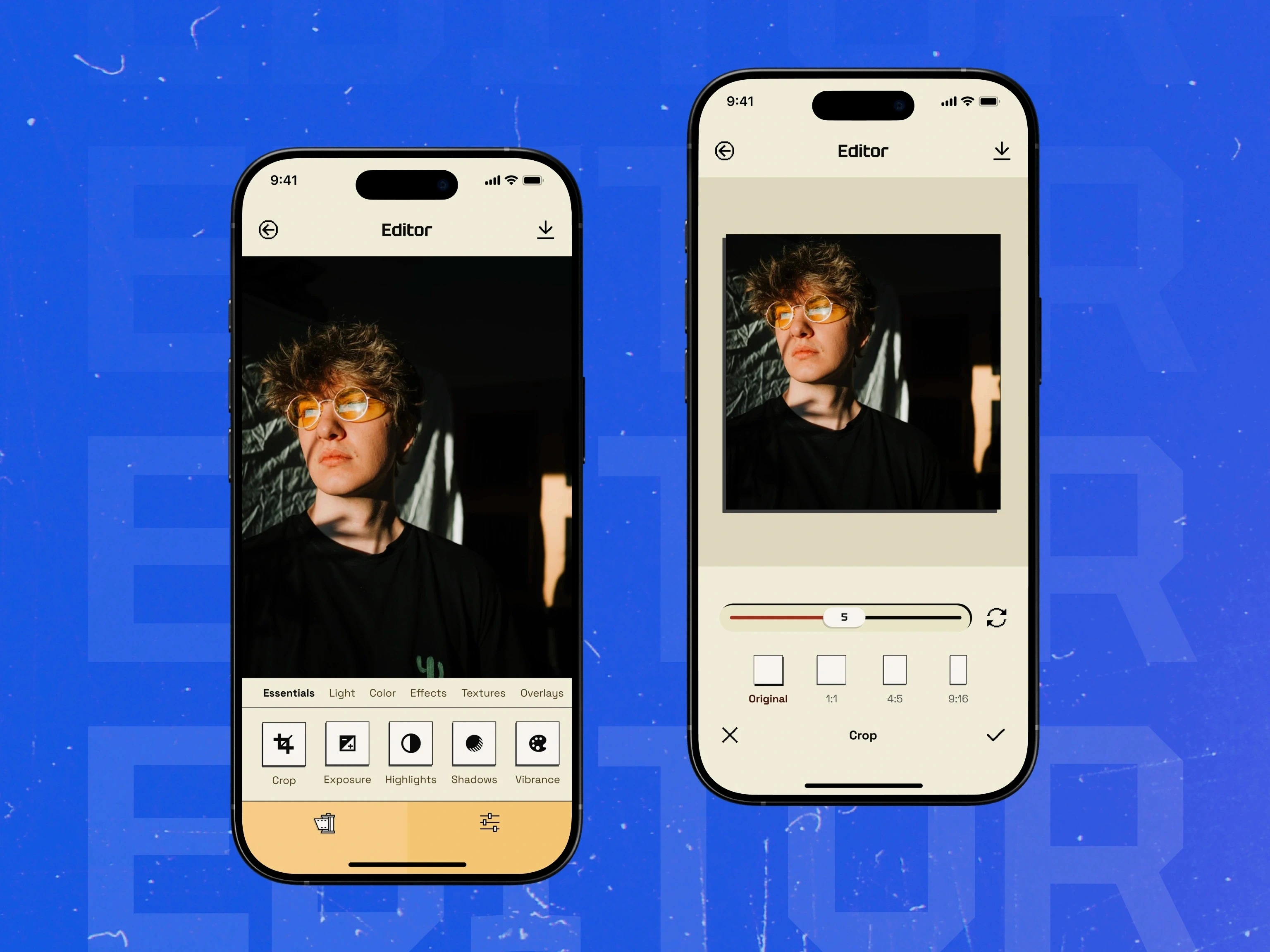
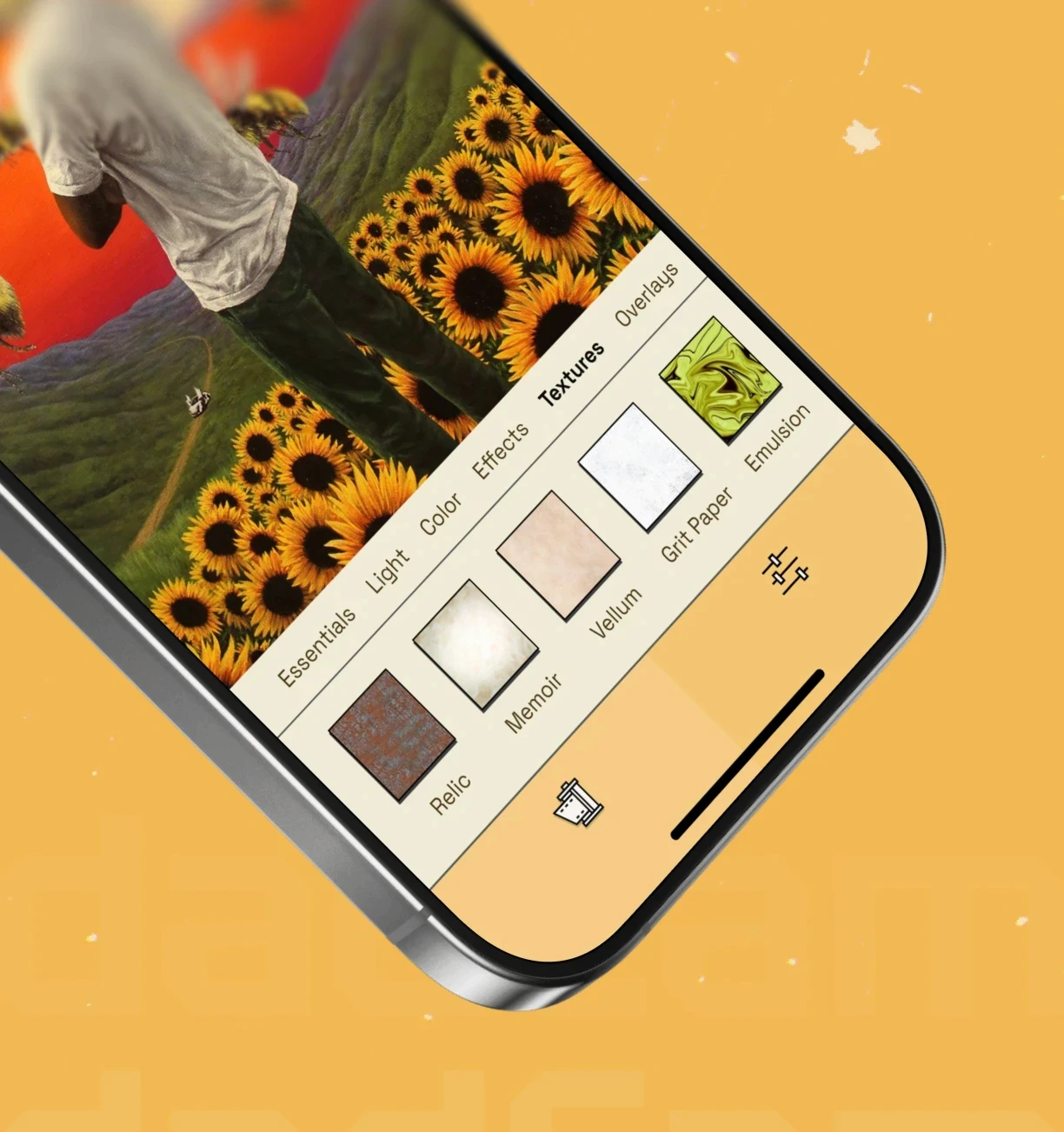
The engagement connected camera capture, live preview, non-destructive editing, texture controls, and export into one mobile experience.

Making nostalgia usable, not ornamental

01

What I owned

The product direction treated retro character as part of the interaction model. Feedback, controls, motion, and visual texture had to support the act of making an image rather than sit on top of it.

01

What I owned

The product direction treated retro character as part of the interaction model. Feedback, controls, motion, and visual texture had to support the act of making an image rather than sit on top of it.

02

How I led

The design direction connected interaction feedback, visual character, and the camera-to-export workflow across the full product.

02

How I led

The design direction connected interaction feedback, visual character, and the camera-to-export workflow across the full product.

CONSTRAINTS & TRADE-OFFS

Creative control without a heavy editor

01

The constraint

A camera experience needs speed and confidence in the moment. A film-inspired editor needs enough control to create a distinctive result. Putting every option on screen would weaken both.

01

The constraint

A camera experience needs speed and confidence in the moment. A film-inspired editor needs enough control to create a distinctive result. Putting every option on screen would weaken both.

02

The trade-off

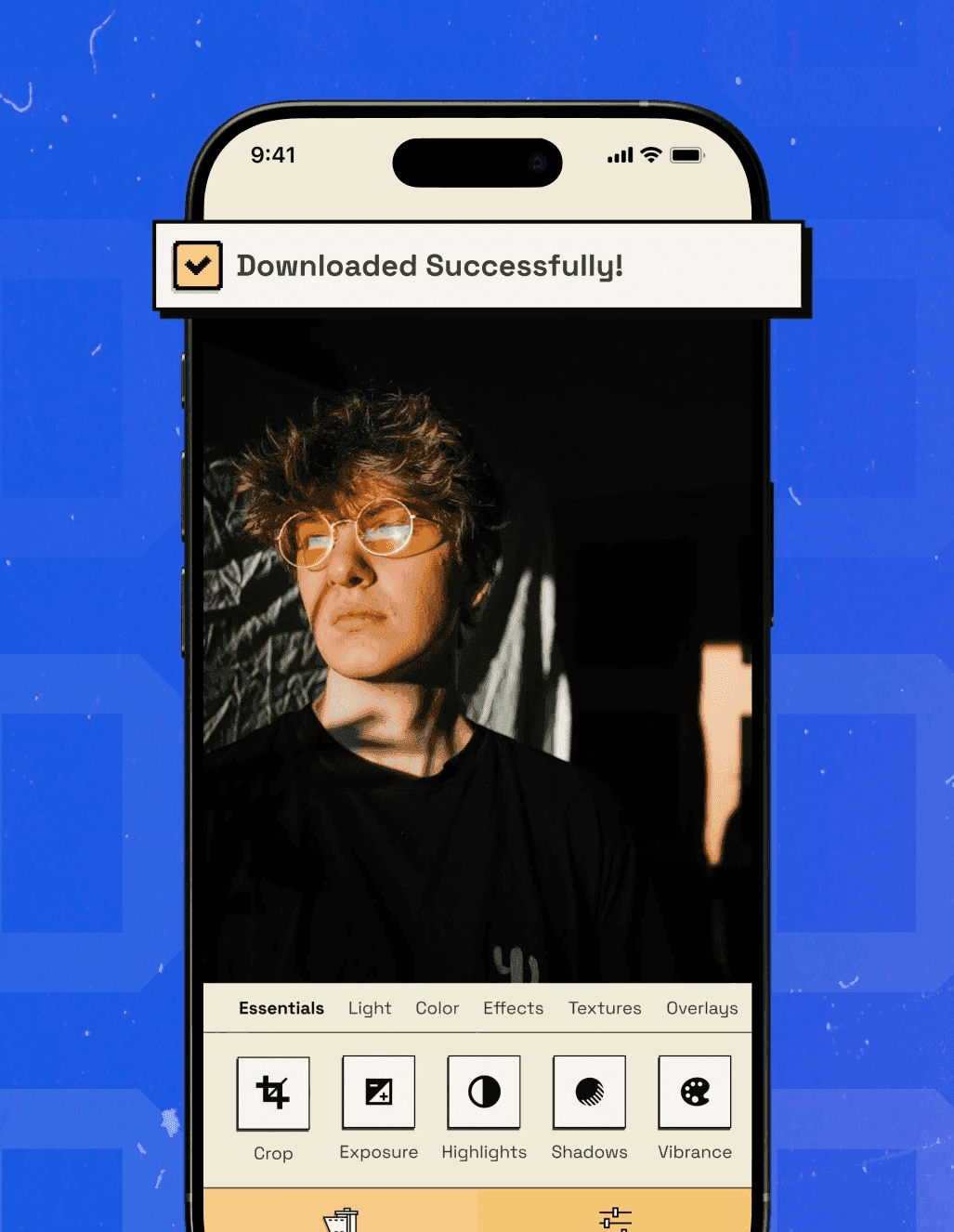
The design separates capture from deeper adjustment, keeps frequent controls close, and preserves the original image through non-destructive editing.

02

The trade-off

The design separates capture from deeper adjustment, keeps frequent controls close, and preserves the original image through non-destructive editing.

● RESEARCH & CONTEXT

Designing for the moment of capture

The design focused on observable interaction constraints: keeping capture immediate, placing deeper controls in Studio, and using gestures and haptics to reinforce state.

● PRODUCT DECISIONS

Three decisions behind the experience

01

Keep capture immediate

The camera surface prioritises framing, feedback, and the actions needed in the moment. Deeper creative controls move into the editing flow.

01

Keep capture immediate

The camera surface prioritises framing, feedback, and the actions needed in the moment. Deeper creative controls move into the editing flow.

02

Make the edit reversible

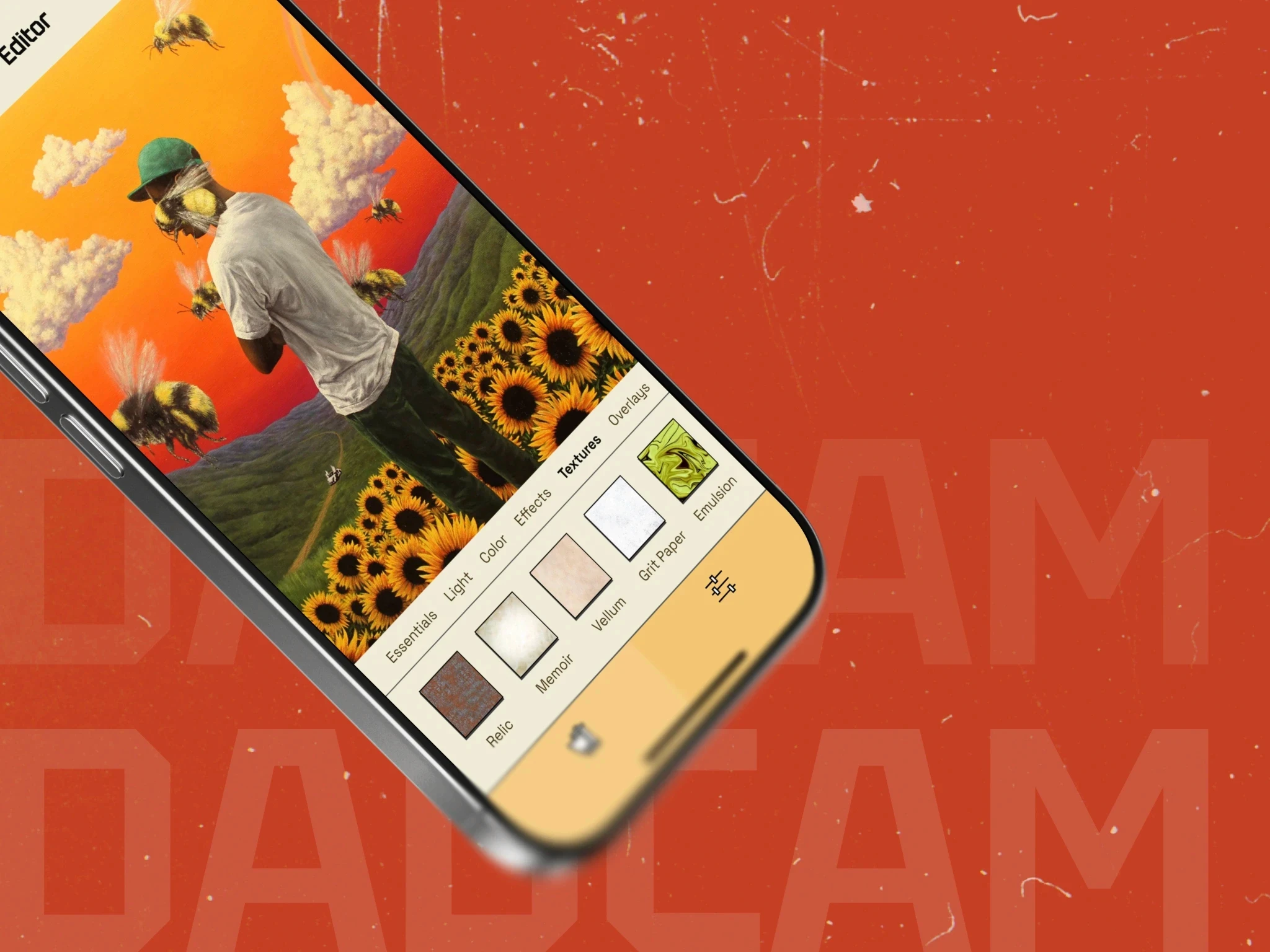
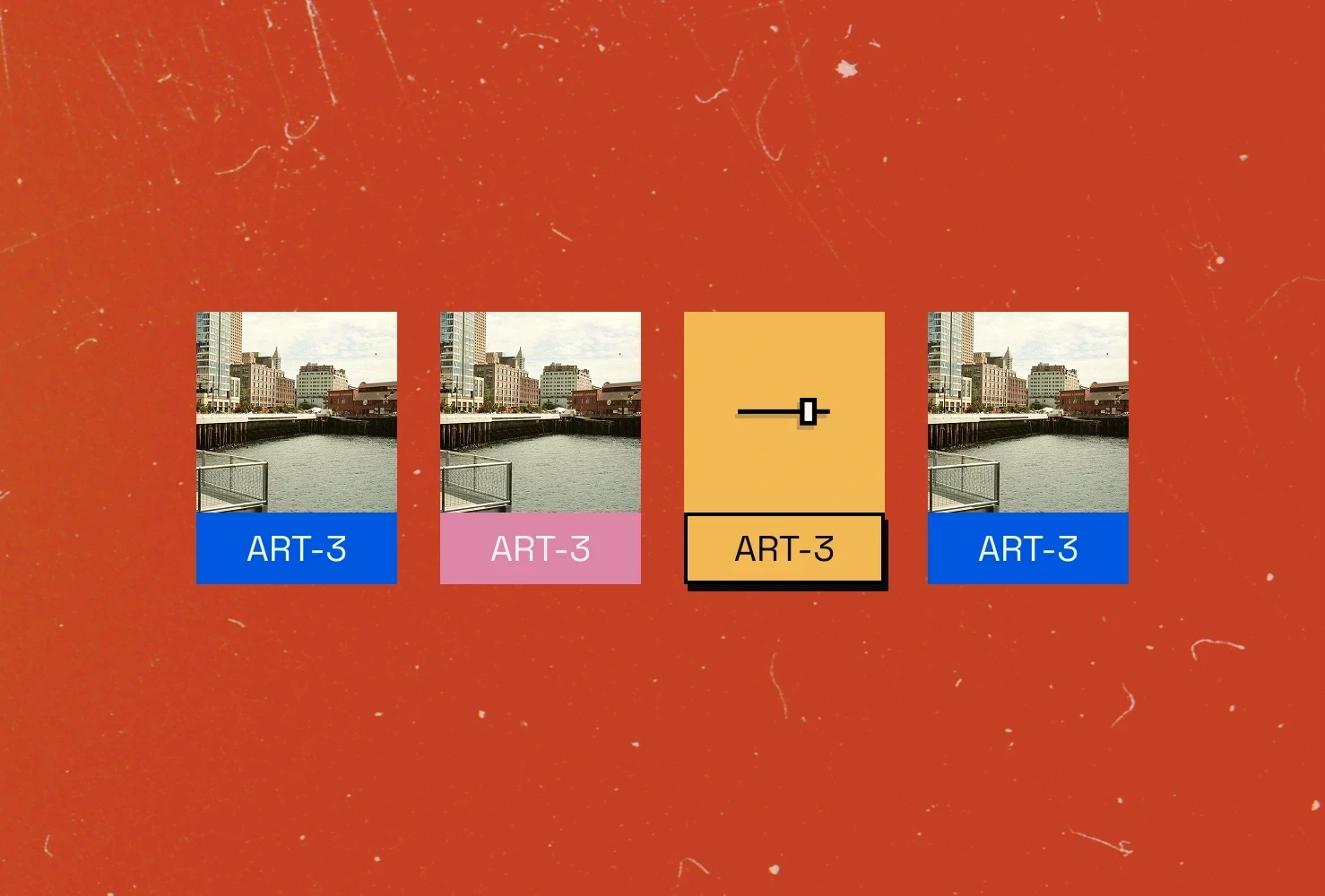
A non-destructive workflow lets people explore film treatments and textures without committing too early or losing the original.

02

Make the edit reversible

A non-destructive workflow lets people explore film treatments and textures without committing too early or losing the original.

03

Use feedback as part of the character

Gestures, haptics, motion, and visual texture reinforce the physical-camera feel while still behaving like a modern mobile product.

03

Use feedback as part of the character

Gestures, haptics, motion, and visual texture reinforce the physical-camera feel while still behaving like a modern mobile product.

● PROCESS & EVIDENCE

The capture-to-export flow, control hierarchy, treatment states, interaction prototypes, and recurring component rules show how the tactile concept became a usable mobile product.

01.

Mobile product design

A complete camera-to-export journey.

04.

Visual systems

A retro identity applied consistently across product states.

02.

Interaction design

Gestures, haptics, and state feedback for a creative tool.

05.

Non-destructive UX

Exploration without losing the original image.

03.

Creative workflows

Immediate capture with deeper editing available when needed.

06.

Design systems

Reusable controls and patterns across camera and Studio.

01.

Mobile product design

A complete camera-to-export journey.

03.

Creative workflows

Immediate capture with deeper editing available when needed.

05.

Non-destructive UX

Exploration without losing the original image.

02.

Interaction design

Gestures, haptics, and state feedback for a creative tool.

04.

Visual systems

A retro identity applied consistently across product states.

06.

Design systems

Reusable controls and patterns across camera and Studio.

01.

Mobile product design

A complete camera-to-export journey.

02.

Interaction design

Gestures, haptics, and state feedback for a creative tool.

03.

Creative workflows

Immediate capture with deeper editing available when needed.

04.

Visual systems

A retro identity applied consistently across product states.

05.

Non-destructive UX

Exploration without losing the original image.

06.

Design systems

Reusable controls and patterns across camera and Studio.

01.

Mobile product design

A complete camera-to-export journey.

03.

Creative workflows

Immediate capture with deeper editing available when needed.

05.

Non-destructive UX

Exploration without losing the original image.

02.

Interaction design

Gestures, haptics, and state feedback for a creative tool.

04.

Visual systems

A retro identity applied consistently across product states.

06.

Design systems

Reusable controls and patterns across camera and Studio.

FINAL UI

ABOUT ME

DadCam — The Strategic Pivot visual 3
DadCam — Solution Section visual 4
DadCam — Solution Section visual 5
DadCam — The Strategic Pivot visual 3
DadCam — DadCam Studio visual 8
DadCam — Fast Export visual 9
DadCam — Key Features Section visual 10
DadCam — Key Features Section visual 11
DadCam — Fast Export visual 9
DadCam — The Visual Language visual 12
DadCam — Visual Identity Section visual 13
DadCam — Visual Identity Section visual 14
DadCam — Visual Identity Section visual 13
DadCam — Visual Identity Section visual 15
DadCam — Visual Identity Section visual 16
DadCam — Visual Identity Section visual 15
DadCam — Visuals Section visual 17
DadCam — Visuals Section visual 18
DadCam — Visuals Section visual 20
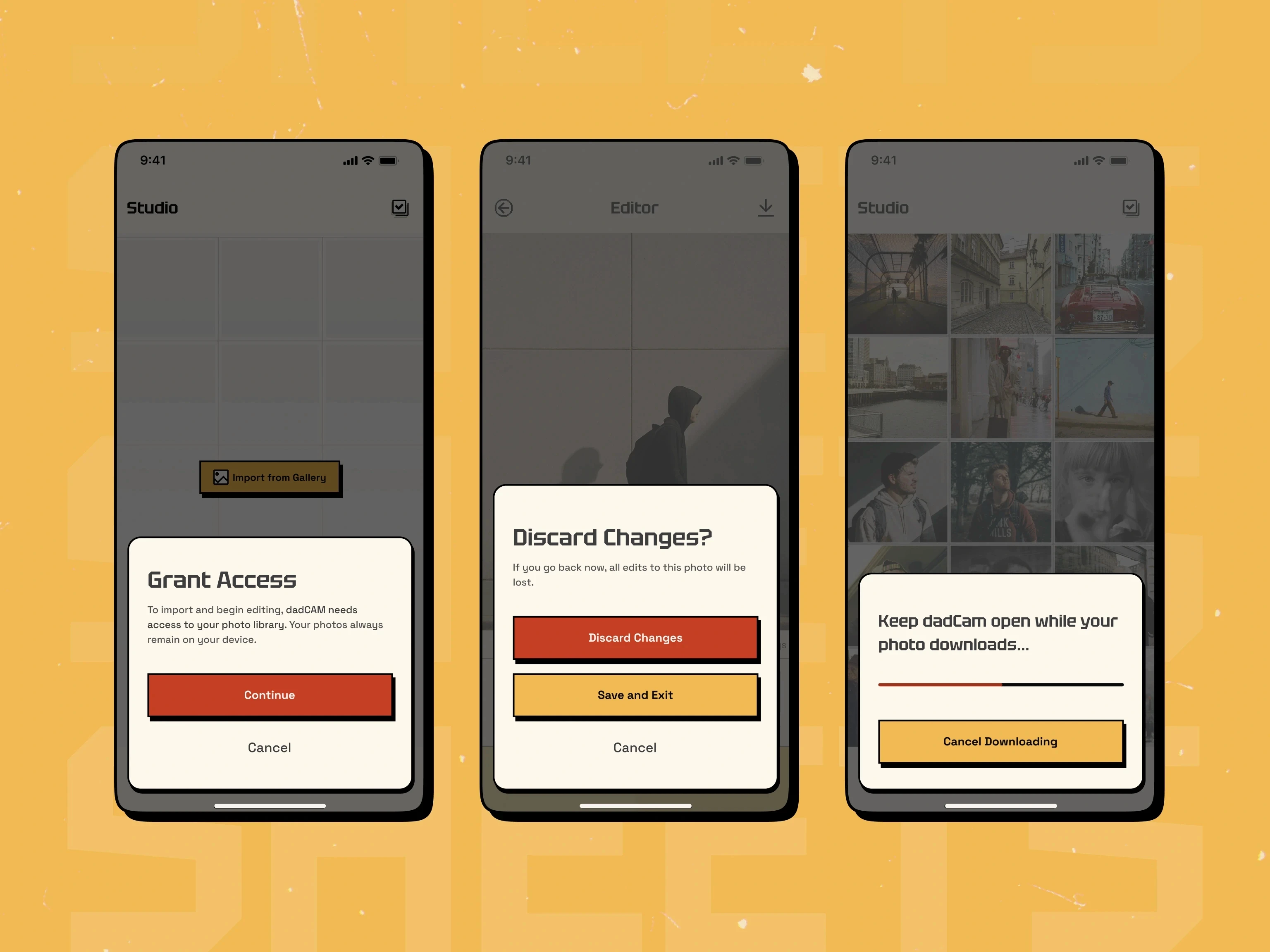
DadCam permission and change-confirmation screens
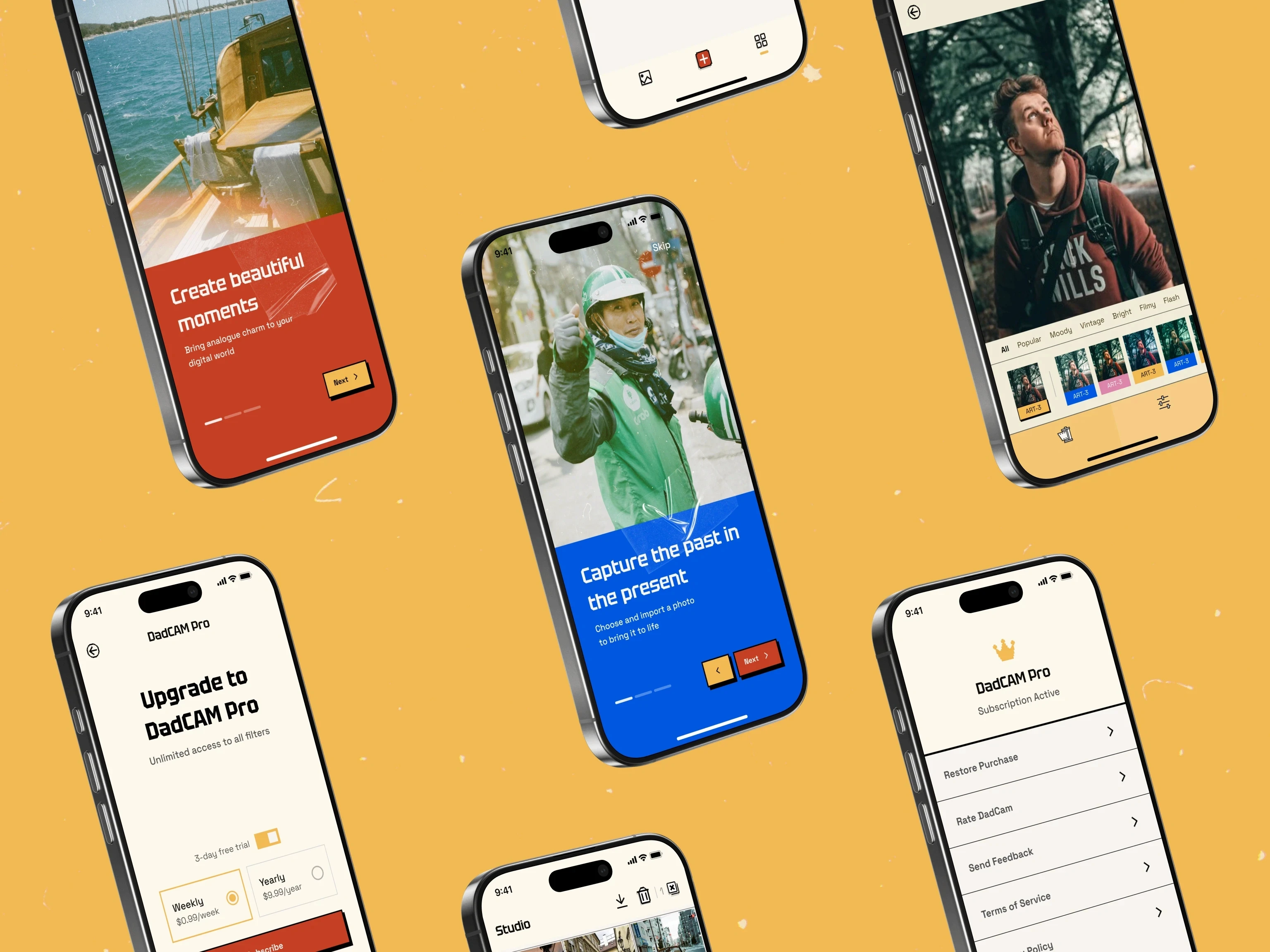
DadCam family media app interface screens

FINAL UI

ABOUT ME

DadCam — The Strategic Pivot visual 3
DadCam — Solution Section visual 4
DadCam — Solution Section visual 5
DadCam — The Strategic Pivot visual 3
DadCam — Solution Section visual 4
DadCam — The Strategic Pivot visual 3
DadCam — Solution Section visual 4
DadCam — Solution Section visual 5
DadCam — The Strategic Pivot visual 3
DadCam — Solution Section visual 4
DadCam — Solution Section visual 5
DadCam — DadCam Studio visual 8
DadCam — Fast Export visual 9
DadCam — Key Features Section visual 10
DadCam — Key Features Section visual 11
DadCam — Fast Export visual 9
DadCam — Key Features Section visual 10
DadCam — Fast Export visual 9
DadCam — Key Features Section visual 10
DadCam — Key Features Section visual 11
DadCam — Fast Export visual 9
DadCam — Key Features Section visual 10
DadCam — Key Features Section visual 11
DadCam — The Visual Language visual 12
DadCam — Visual Identity Section visual 13
DadCam — Visual Identity Section visual 14
DadCam — Visual Identity Section visual 13
DadCam — Visual Identity Section visual 14
DadCam — Visual Identity Section visual 13
DadCam — Visual Identity Section visual 14
DadCam — Visual Identity Section visual 13
DadCam — Visual Identity Section visual 14
DadCam — Visual Identity Section visual 15
DadCam — Visual Identity Section visual 16
DadCam — Visual Identity Section visual 15
DadCam — Visual Identity Section visual 16
DadCam — Visual Identity Section visual 15
DadCam — Visual Identity Section visual 16
DadCam — Visual Identity Section visual 15
DadCam — Visual Identity Section visual 16
DadCam — Visuals Section visual 17
DadCam — Visuals Section visual 18
DadCam — Visuals Section visual 20
DadCam permission and change-confirmation screens
DadCam family media app interface screens

WHAT'S NEXT STARTS WITH A CONVERSATION.